 Glimmr
Voice memos, kept glowing.
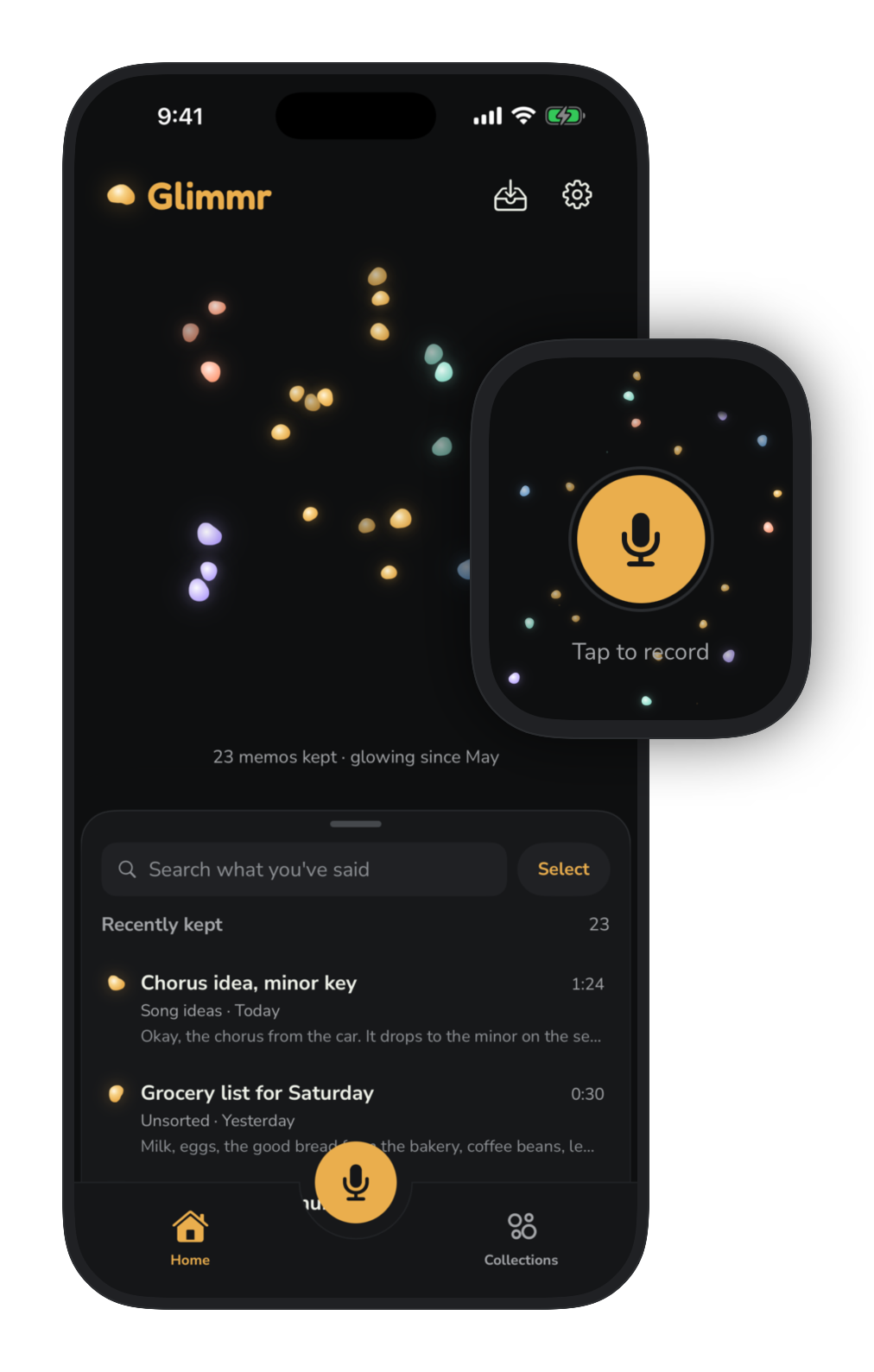
Every recording becomes a small light. Bring in the memos you already have, record new ones from your iPhone or Apple Watch, and find anything you've said. Transcripts and titles are made on your iPhone.
 Free to use. Pay once for Pro.
Smart Names That Make Sense
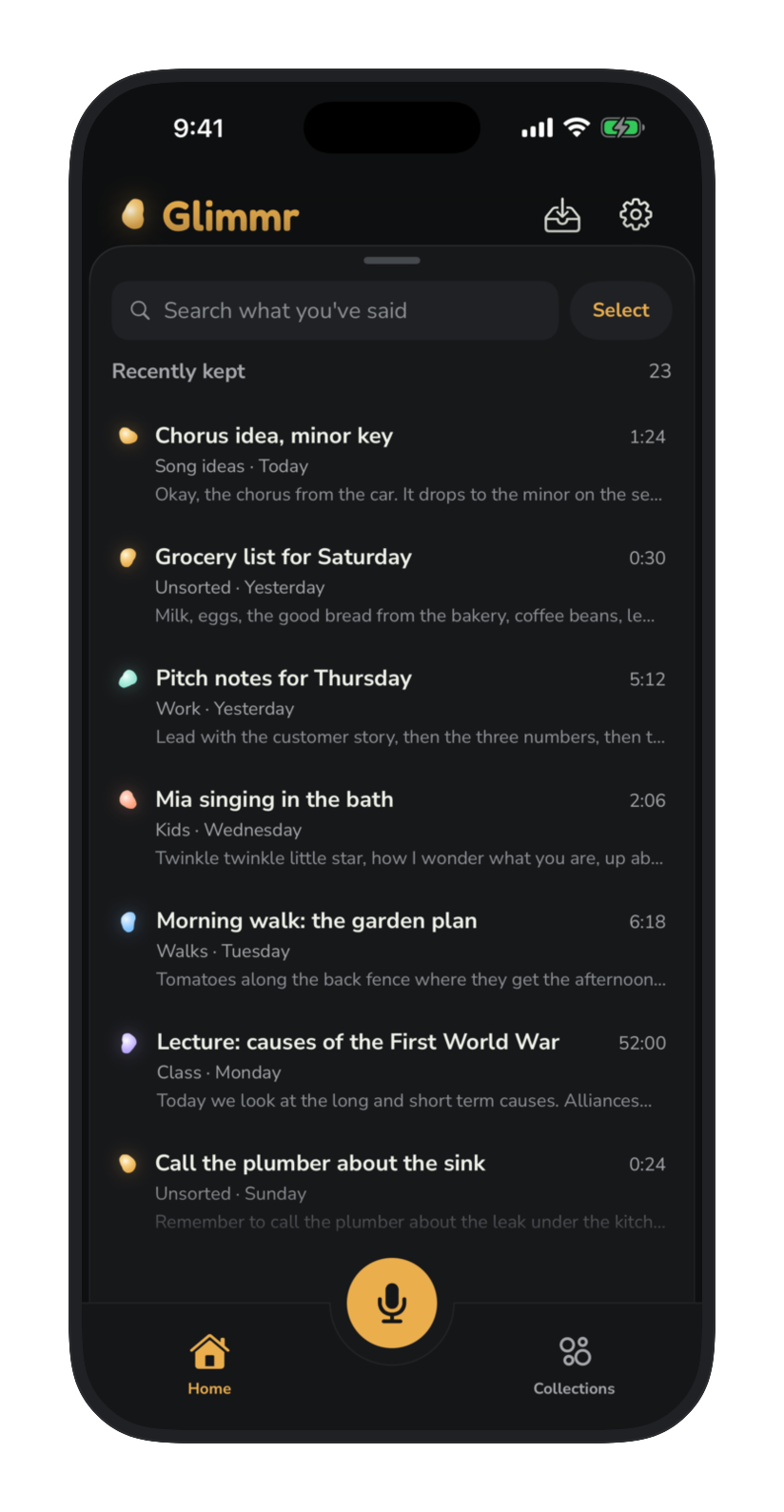
No more "New Recording 47". Every memo is transcribed on your iPhone and, with Apple Intelligence, given a title that says what it's about, so you can find it again at a glance.
- Titles are written on your iPhone, never on a server
- A title you've written yourself is never replaced
- Search finds any word you've said, in any memo
- On an iPhone without Apple Intelligence, memos are titled with the date and time
Merge Your Memos The Easy Way
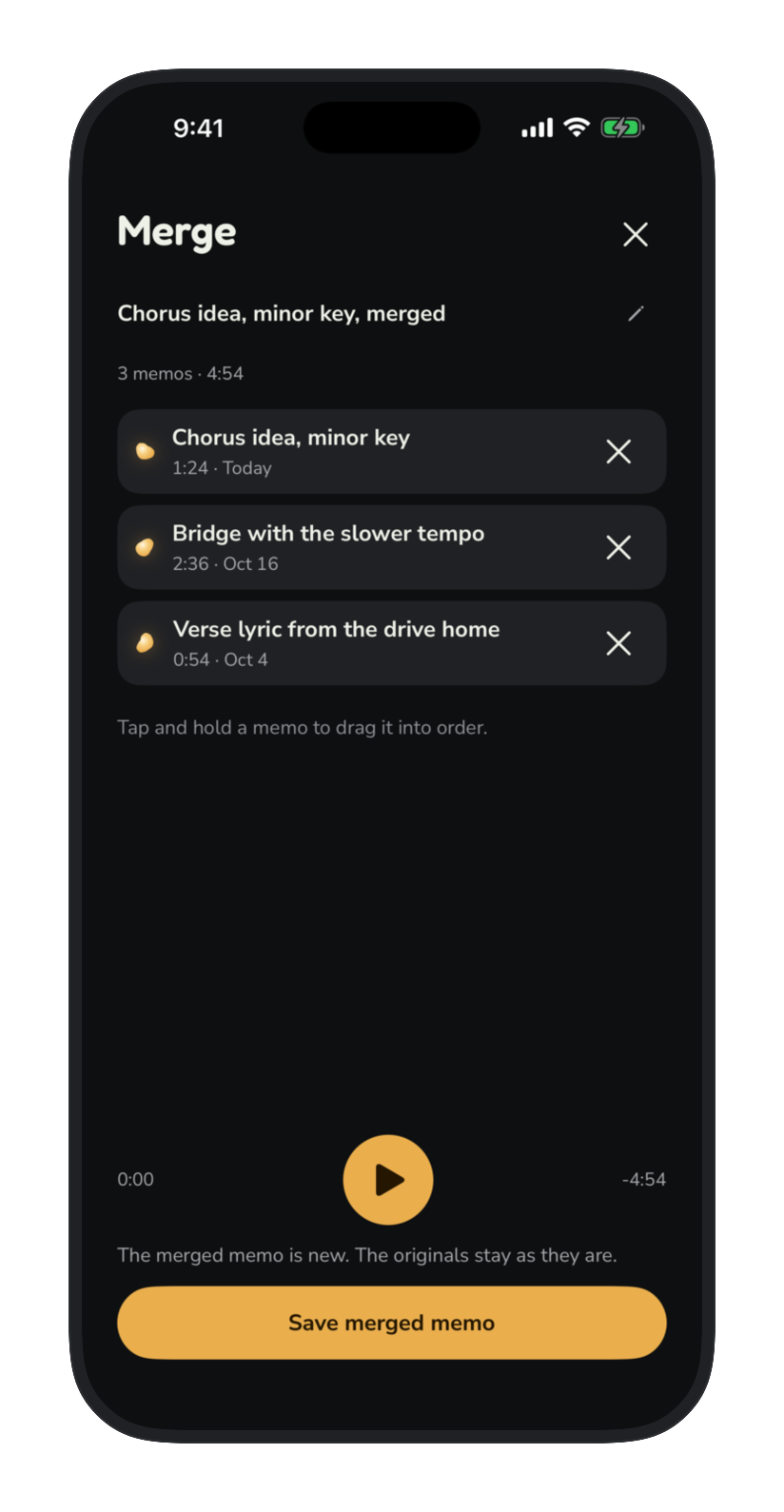
Recorded an idea in three takes? Choose the memos, drag them into order and listen to the result before you save. Glimmr joins them with soft crossfades, so there are no clicks or jumps between the parts.
- Hear the real merged memo before saving it
- The transcripts are joined too, never redone
- Your original memos stay just as they were
- Merge is part of Glimmr Pro
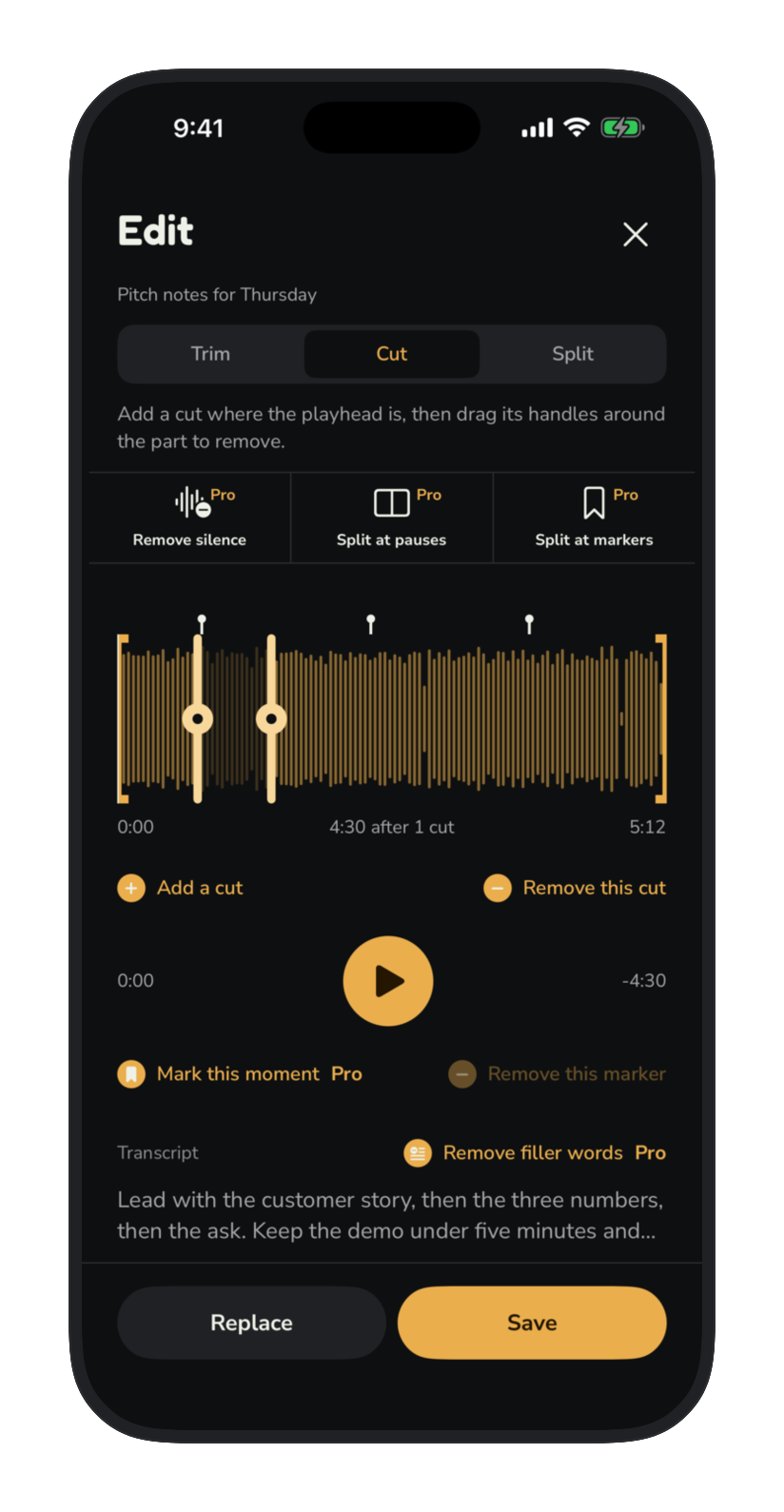
Trim, Cut and Split Right From the Transcript
Drag the handles on the waveform to trim the ends, cut out the middle or split one memo into several. With Pro, choose words in the transcript and take them out, and the cut lands in exactly the right place.
- Any number of cuts and splits in one visit
- A preview plays the real result before you save
- Save as a new memo, or replace the old one (it waits in Recently Deleted)
- Pro adds Remove silence, Split at pauses, Split at markers and Remove filler words
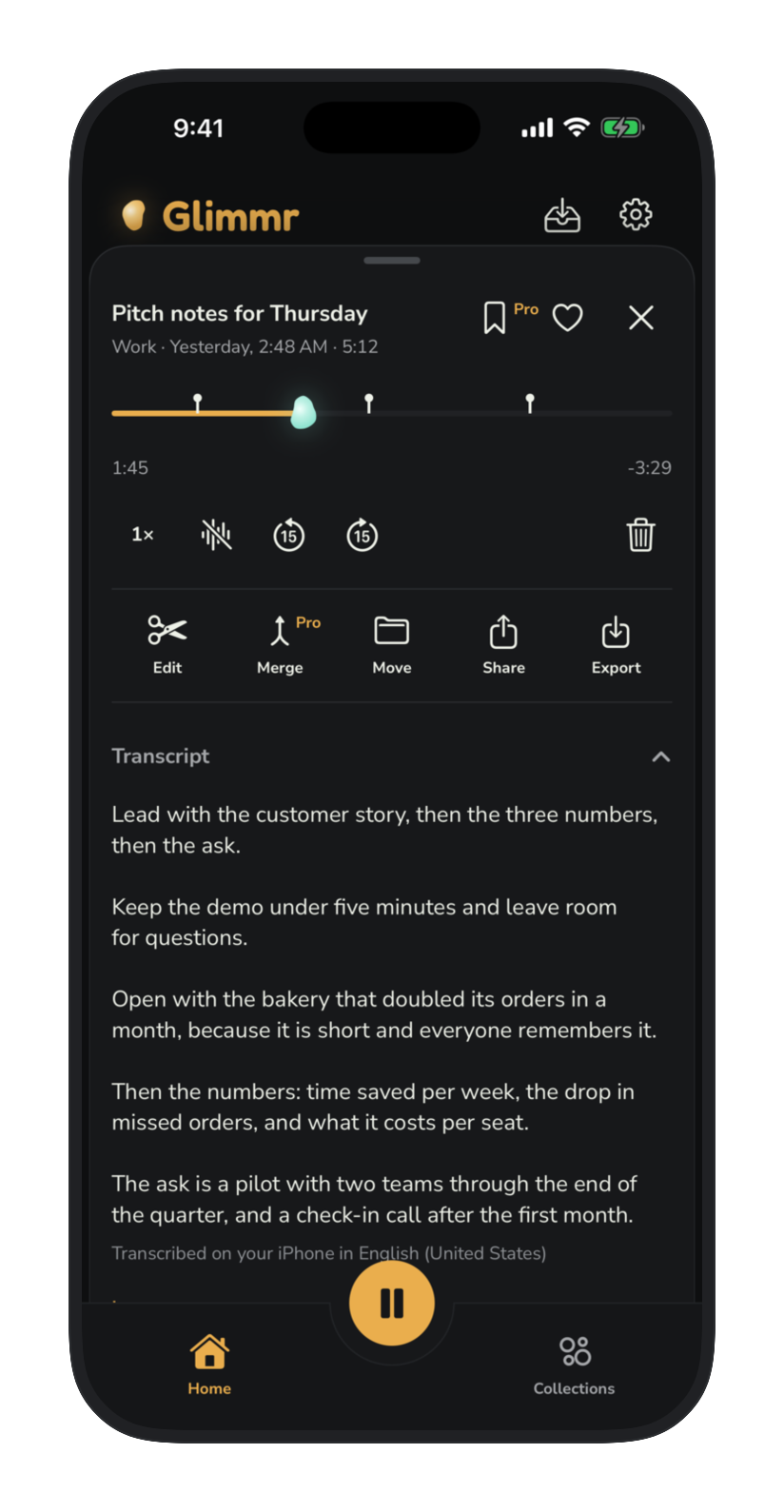
Every Word Transcribed Right on Your iPhone
Open a memo and everything is in one place: the scrubber, the transcript in paragraphs, and every tool for the memo. Transcription happens on your iPhone, so what you say never leaves it.
- Play back faster, and skip the silences
- Skip back or ahead 15 seconds
- With Pro, mark the moments worth coming back to and jump straight to them
- Move, share or export from the same sheet
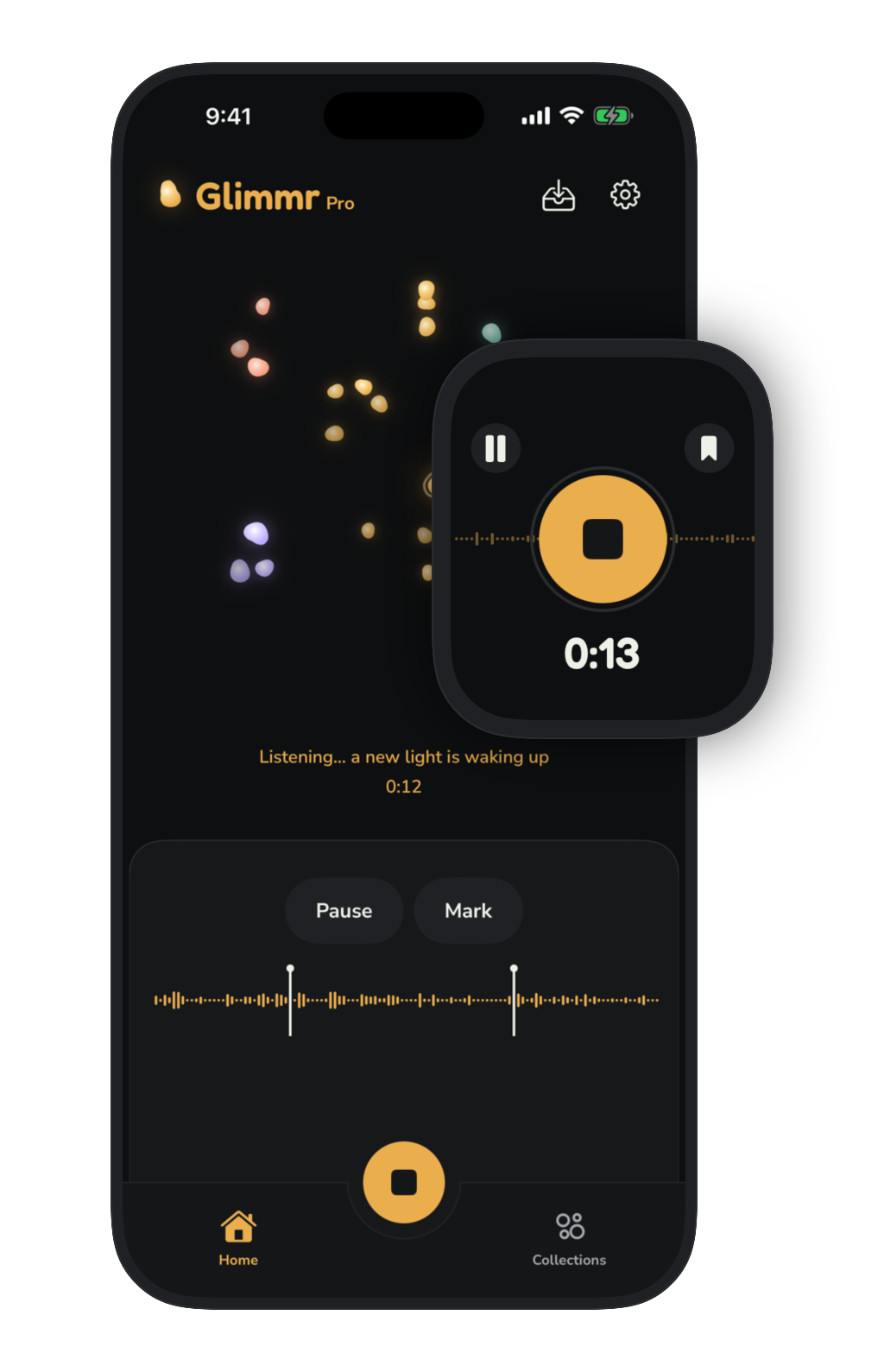
Record Anywhere On Your Phone and Watch
Ideas don't wait for you to find an app. Start a recording from wherever you are, and Glimmr keeps it safe until you're done.
- Control Center, the Lock Screen, the Action Button or a home screen widget
- A Live Activity shows the take on the Lock Screen and in the Dynamic Island
- A call or an alarm pauses your recording instead of ending it
- If anything stops Glimmr mid-take, what you recorded is kept
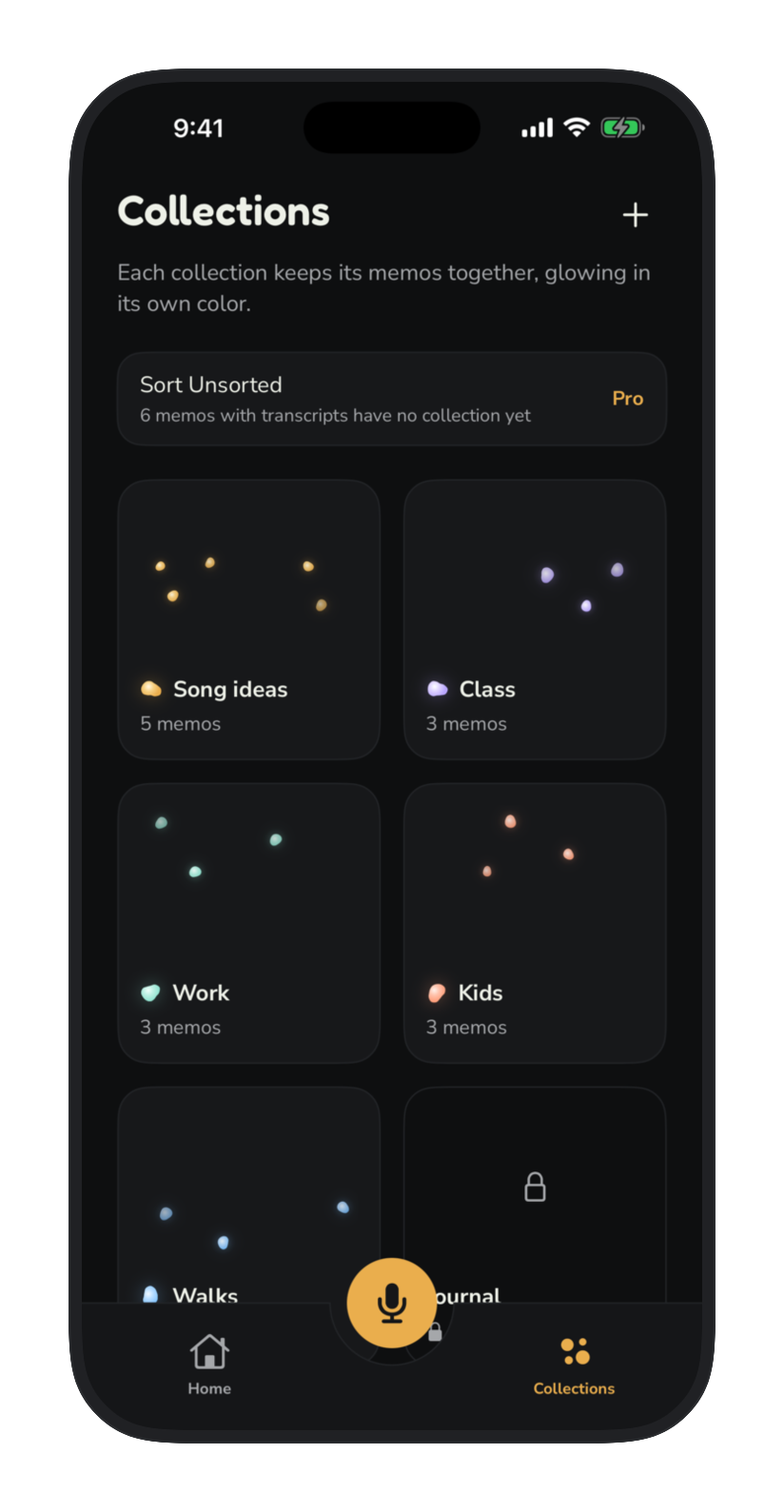
Stay Organized With Smart Collections
Group memos into collections, each glowing in its own color, and move them one at a time or many at once. With Pro, Glimmr reads each new memo and sorts it into the collection it belongs in.
- Smart collections learn from the memos already in them
- Sort Unsorted offers a home for memos that don't have one yet
- Private collections stay hidden until you unlock them with Face ID
- Smart and private collections are part of Glimmr Pro
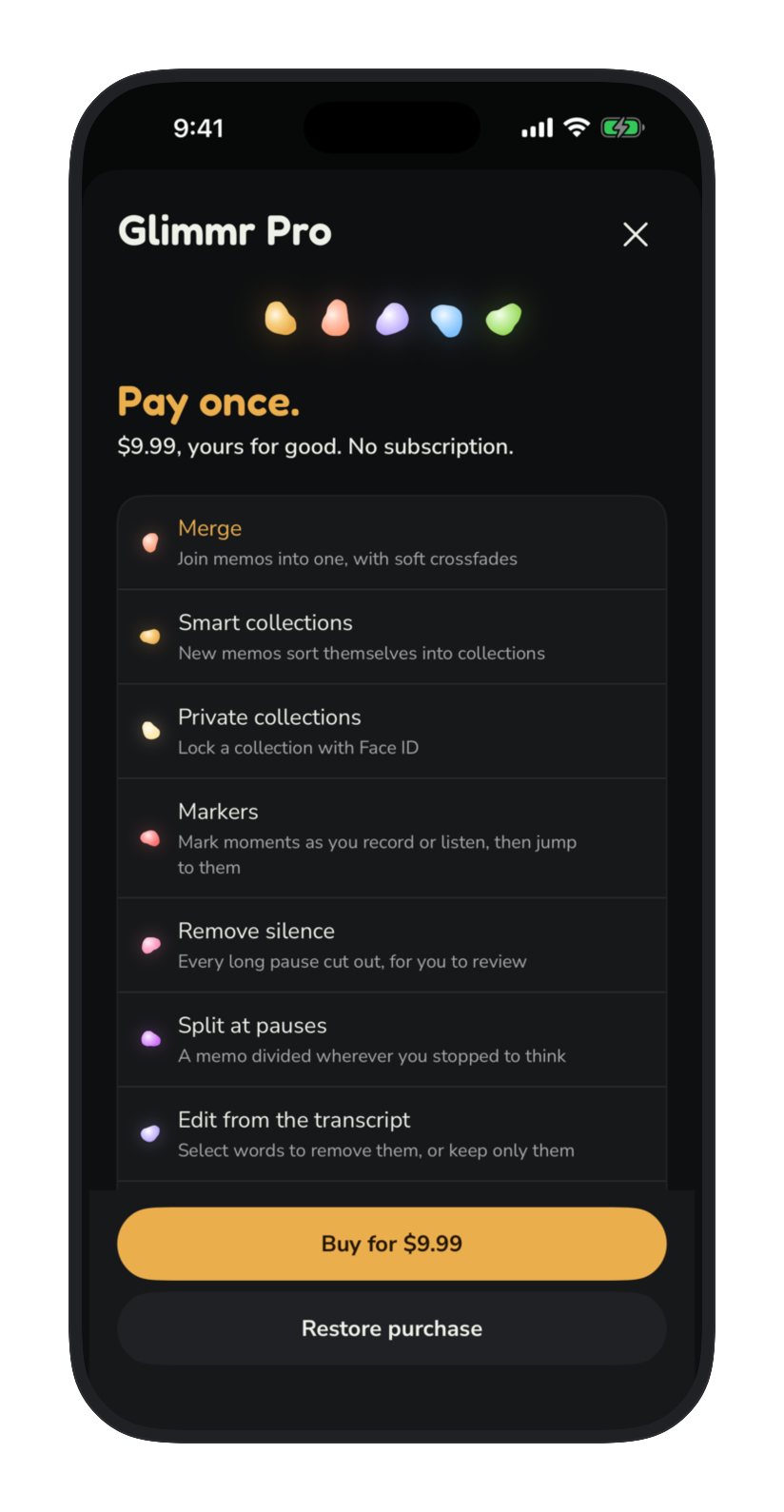
Pay Once. No Subscription. Or Use It for Free Forever.
Everything Apple's Voice Memos does for free, Glimmr does for free. Pro is a single purchase for the work Glimmr does for you, and it never expires.
Free, forever
- Unlimited recording, in Standard or High quality
- Unlimited transcription, on your iPhone
- Search every transcript and title
- AI titles with Apple Intelligence
- Trim, Cut and Split
- Skip Silence and playback speed
- Collections, in your own colors
- Bring in Voice Memos and files
- iCloud sync, with no account
- Play, export, share and delete everything
- Apple Watch, widgets, Control Center, Lock Screen and the Action Button
- Recently Deleted for 30 days
Pro, one purchase
Everything in Free, plus:
- Merge memos into one
- Markers while recording or listening
- Remove silence
- Split at pauses
- Remove filler words
- Edit from the transcript
- Smart collections
- Private collections with Face ID
- WAV export
Glimmr on Your Wrist A Real Apple Watch App
Leave your iPhone in your pocket, or at home. Glimmr on Apple Watch records on its own and sends every memo to your iPhone, where it's transcribed and titled like any other.
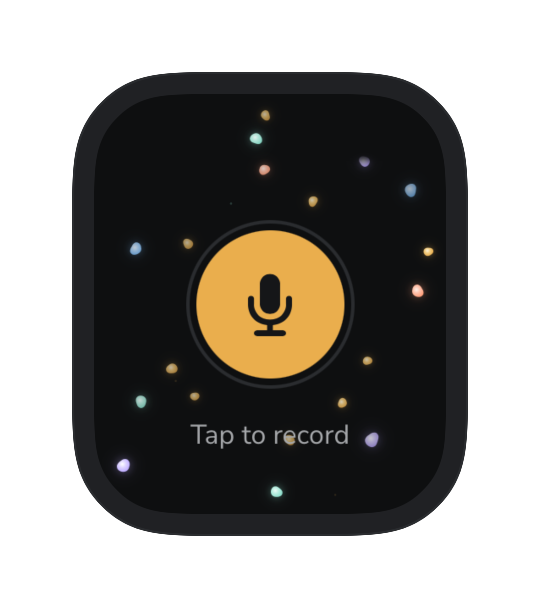
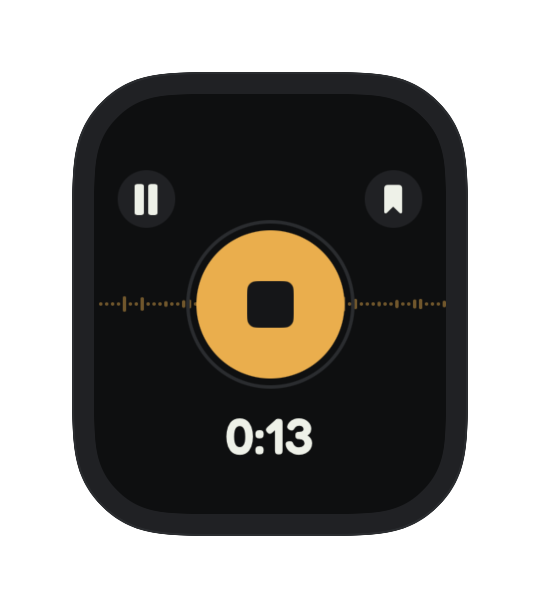
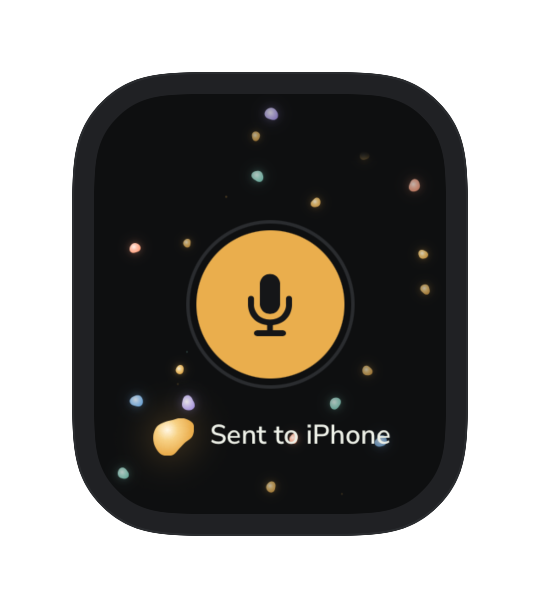
- Records without your iPhone nearby, and sends the memo when it's back in reach
- Start from the app, a watch face complication or the Watch's Control Center
- Pause and resume, and with Pro, mark moments as you go
- Your memos' lights glow behind the button, in their collections' colors
Your recordings are always yours
- Kept as regular audio files you can see in the Files app.
- Never locked behind a paywall. Playing, exporting and sharing are always free.
- Made on your iPhone. Transcription and titles never go to a server.
- Nothing is lost. Deleted memos wait 30 days in Recently Deleted.
- No account. Your memos sync through your own iCloud.